How to Reset Your Irrigation Clock on Cape Cod
By Jim
A blinking clock on your irrigation controller usually means one thing: it lost power and it’s waiting for you. A summer thunderstorm, a breaker trip, or even a low backup battery can knock your system’s schedule out — and if it’s not reset, you might end up with a lawn that’s either bone dry or getting watered at 2pm in the middle of July.
The good news: resetting a controller takes a few minutes once you know where to look. Here’s how to do it on the three brands we see most often on Cape Cod systems — Rain Bird, Hunter, and Orbit.
Before You Start
A few things to have on hand, no matter the brand:
- The current date and time
- Your watering schedule (days, start times, and run times per zone) — snap a photo of your controller’s settings before a storm each season so you always have a backup reference
- A small screwdriver, for controllers with recessed buttons
If the screen is completely blank, check the power source first — a tripped GFCI outlet or breaker is the most common culprit before you touch a single setting.
Rain Bird Controllers
Rain Bird’s dial-based controllers (the ESP series) are some of the most common residential units on the Cape.
- Turn the dial to “Set Current Date/Time” and use the arrow buttons to set the day, month, year, and time.
- Turn the dial to “Set Programs” (or “Set Watering Days”) to confirm which days each program runs.
- Turn the dial to “Set Start Times” and enter the times you want each program to begin.
- Turn the dial to “Set Zone Run Times” and set the duration for each zone.
- Turn the dial back to “Run” to return to normal operation.
If your Rain Bird has a battery backup, replace the 9-volt battery every spring — it’s what preserves your programming during short outages.
Hunter Controllers
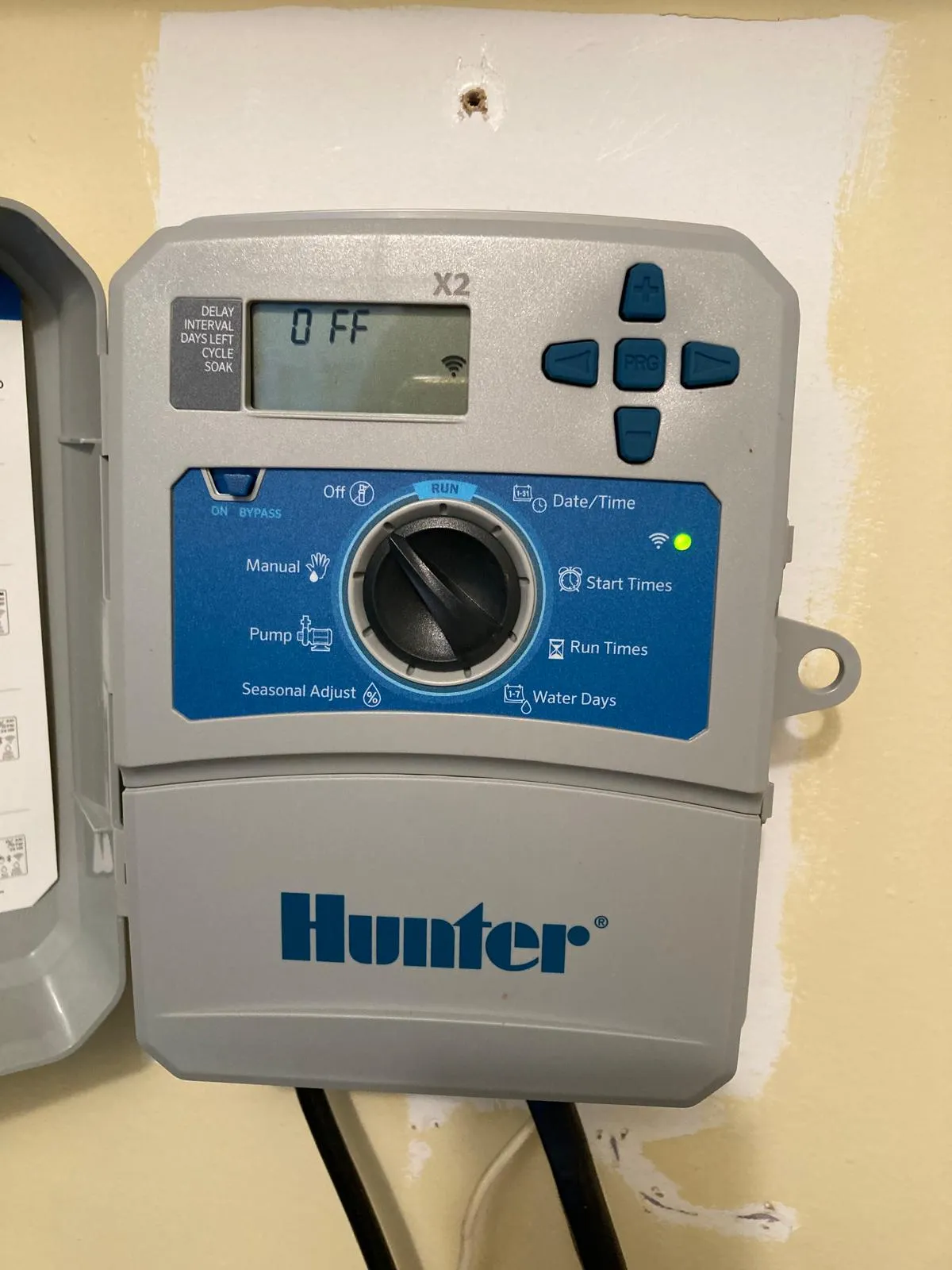
Hunter’s Pro-C and X-Core models use a rotary dial paired with a keypad, and the menu structure is similar across most of their residential line.
- Turn the dial to “Current Time/Date” and enter today’s date and time using the keypad.
- Turn the dial to “Water Days” and select the schedule type (custom days, odd/even, or interval).
- Turn the dial to “Start Times” and set up to four start times per program.
- Turn the dial to “Station Run Times” and enter minutes for each zone.
- Return the dial to “Run” when finished.
Hunter controllers typically hold their programming through a power loss for a short window thanks to an internal capacitor — but a reset is still worth double-checking after any outage longer than a few hours.
Orbit Controllers
Orbit’s B-hyve and standard digital controllers are popular on smaller residential setups and tend to be more menu-driven than dial-based.
- Press “Menu” and select “Set Current Date/Time.”
- Navigate to “Set Watering Days” and choose your schedule.
- Select “Set Start Times” to choose when watering begins.
- Select “Set Zone Times” to assign run duration per zone.
- Press “Menu” again (or the equivalent “Run” option) to exit and resume the schedule.
If you have the B-hyve Wi-Fi model, the app will usually prompt you to reconnect after an outage — do that first, since the app can resync date and time automatically.
Frequently Asked Questions
Why does my irrigation clock keep resetting?
Most often it’s a power interruption — a storm, a tripped breaker, or a dead backup battery. If it’s happening repeatedly with no outages, the controller itself or its power supply may need to be checked.
Will my zones water on the wrong schedule if I don’t reset the clock?
Yes. Once the internal clock is wrong, every start time is thrown off, which can mean watering at odd hours or missing days entirely.
How often should I check my irrigation clock?
Check it at the start of each season and after any significant storm or power outage. It only takes a minute and can save a lot of wasted water — or a stressed lawn.
What if I can’t get my controller to hold its settings?
That usually points to a battery or power supply issue rather than a programming mistake. If replacing the backup battery doesn’t fix it, the controller may need to be serviced or replaced.
When to Call In the Pros
If you’ve reset the clock and the system still isn’t running right — zones out of order, a program that won’t save, or a controller that won’t power on at all — that’s usually a wiring or hardware issue rather than something to troubleshoot at the panel. Our irrigation team handles startup, repairs, and controller upgrades across Yarmouth, Dennis, Barnstable, Chatham, Harwich, Brewster, and Orleans.
Give us a call at (508) 398-8151 and we’ll get your system back on schedule.
John G. Sears & Son Landscaping is a locally owned landscaping company based in South Yarmouth, MA, serving residential and commercial clients across Cape Cod and the South Shore. Established in 1931.
Related Topics: